How to Match NEMA 17 Torque, Current, and Driver Settings
A buyer-focused guide to avoid underpowered setups and overheating issues when selecting NEMA 17 motors and drivers.
Content Integrity Note
- Author: Jimmy Su
- Published: 2026/04/10
- Basis: Factory-side NEMA 17 OEM communication and validation workflows.
- Boundary: Final model and parameter decisions should be validated in your own system tests.
Many field failures are not caused by motor quality, but by mismatched current settings and unrealistic speed-torque expectations.
Start From Real Load, Not Catalog Peak Values
Before selecting a model, calculate:
- Required running torque at working speed
- Peak torque during acceleration
- Duty cycle and ambient temperature
Catalog holding torque is measured at standstill. Your real usable torque at speed is lower, so always evaluate torque-speed behavior for the target RPM band.
Dynamic Torque Margin Rules (For RFQ and Sample Review)
Use explicit margin rules so teams do not approve motors by standstill torque only.
| Operating Scenario | Minimum Dynamic Torque Margin | Notes |
|---|---|---|
| Continuous running zone | >= 1.3x required torque | Use real duty cycle and cabinet temperature |
| Short acceleration peak | >= 1.5x peak torque | Avoids missed steps in startup ramps |
| Safety-critical or hard-to-access install | >= 1.8x | Adds field reliability reserve |
Five-Step Selection Workflow
- Define real load profile (continuous + peak).
- Define motion profile (max speed, accel/decel, microstep plan).
- Confirm electrical limits (driver current, supply voltage, cabinet thermal condition).
- Select candidate motor and verify torque margin at operating speed.
- Validate with thermal and missed-step test before volume release.
For procurement teams, this workflow reduces re-sourcing risk after pilot build.
Current Setting Matters More Than Buyers Expect
For stepper systems, driver current strongly affects performance and heat.
- Too low current: missed steps, low dynamic torque
- Too high current: motor overheating, bearing stress, insulation aging
Set driver current based on motor rated current and real thermal conditions, then validate under full duty-cycle operation.
Current Setting Starting Table
| Motor Rated Current | Trial Current Window | When to Move Up | When to Move Down |
|---|---|---|---|
<= 1.2 A/phase | 85% to 100% of rated | Missed steps under verified load | Case temp exceeds target |
| 1.21 to 1.8 A/phase | 80% to 95% of rated | Torque deficit at acceleration | Driver or motor thermal alarm |
> 1.8 A/phase | 75% to 90% of rated | Persistent step loss after ramp tuning | Sustained overheating trend |
Practical Current-Setting Rule for Trials
- Start near rated current with conservative driver setting.
- Run full-load thermal test at actual duty cycle.
- Adjust only after recording temperature trend and position stability.
Do not finalize current only by no-load bench behavior.
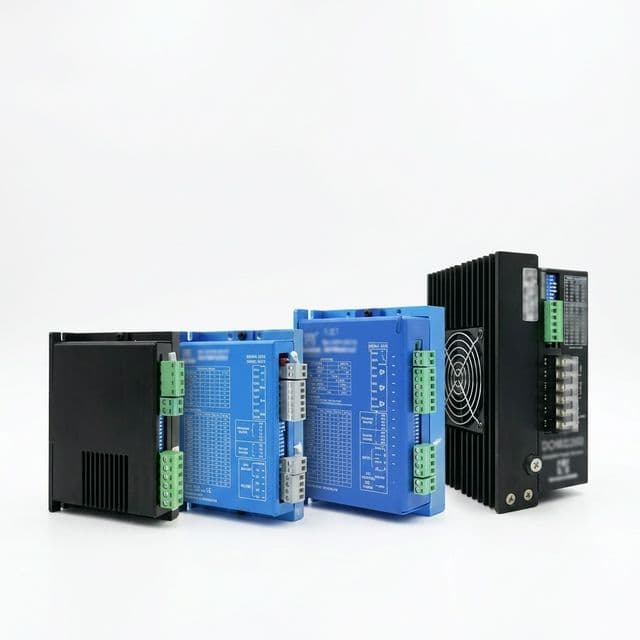
Driver and Power Supply Pairing
A common mistake is using a capable motor with an undersized driver or supply.
Check:
- Driver current capacity per phase
- Microstepping requirement
- Supply voltage headroom for target speed
- Heat dissipation design in control cabinet
For high-speed sections, adequate supply voltage improves current rise and helps maintain torque.
Symptom-to-Cause Quick Matrix
| Field Symptom | Typical Root Cause | What to Check First |
|---|---|---|
| Missed steps at acceleration | Current too low or accel too aggressive | Driver current, acceleration ramp |
| Motor overheats in long run | Current too high, poor cabinet airflow | Current limit, enclosure temperature |
| Good low-speed, weak high-speed torque | Supply voltage too low for target RPM | Power supply voltage headroom |
| Unstable positioning | Microstep/driver mismatch or noise | Driver config, wiring integrity |
Validation Workflow for Procurement Teams
Use a simple validation plan before bulk order:
- Confirm electrical compatibility
- Run thermal test at worst-case duty cycle
- Verify positional accuracy and missed-step risk
- Freeze driver settings for mass production
Suggested Acceptance Record (Per Candidate Model)
- Operating current setting
- Supply voltage
- Max tested speed under load
- Temperature after fixed runtime
- Position repeatability result
- Pass/fail notes
Thermal and Stability Acceptance Thresholds
| Checkpoint | Suggested Rule | Why It Matters |
|---|---|---|
| Motor case temperature at worst cycle | <= agreed limit (commonly 80 C class depending on insulation/system) | Protects lifetime and insulation margin |
| Driver heat sink trend | Stable after thermal soak | Prevents hidden derating in cabinet |
| Missed-step count | 0 in defined test cycle | Basic reliability gate for MP release |
| Position repeatability | Within process tolerance | Confirms system-level capability |
If your project has stricter standards, replace these values with your own validation plan and acceptance protocol.
Inquiry Template
For faster engineering support, email [email protected] with:
- Required torque at target speed
- Driver model and supply voltage
- Working cycle and ambient temperature
- Quantity plan and timeline
This input is enough to return feasible motor options and risk notes in one technical cycle.
Related Tool
If your target is specifically around the 0.25 N·m class, run the 0.25 N·m NEMA 17 fit checker and decision report to get an immediate margin signal before deeper validation. If the driver is a Duet board and the motor listing says 2.9V, use the 2.9V NEMA 17 Duet setup checker and wiring report to convert datasheet current into a first M906 value with voltage, inductance, and wiring guardrails. For projects choosing 0.9° step-angle architecture, use the 0.9 degree NEMA 17 pulse and resolution checker to validate pulse-demand headroom before finalizing driver and firmware settings.
Download Templates
Author

Jimmy Su
Export sales and application advisor for NEMA17Motor, focusing on OEM communication, technical alignment, and production handoff.
Categories
More Posts
NEMA 17 OEM RFQ Checklist for Global Buyers
A practical RFQ template to reduce back-and-forth and get faster, accurate quotations for NEMA 17 motor sourcing.
Sourcing IP65 NEMA 17 Stepper Motors: Cost Premiums and Procurement Pitfalls in 2026
Source IP65 waterproof NEMA 17 stepper motors in 2026 with cost tiers, shaft-seal checks, connector risks, supplier questions, and RFQ support.
NEMA 17 Insulation Classes: A High-Temperature Sourcing Guide
A procurement and engineering guide to understanding NEMA 17 stepper motor temperature ratings, Class B vs. Class H, and how to source motors for high-heat environments.